How to create an online group vote
Add your question and options, share a room link, and start the vote when your group is ready. Everyone votes on their own device; Going Going counts the ballots and shows the result.
Create a voteWrite the question and options
Use a question people can answer from the choices you give them. Keep each option distinct. You can decide on a date, choose an activity, or select proposals without setting up accounts.
Choose a voting method in setup, or use “Help me choose.” Plurality asks for one choice. Approval lets people support several. Ranked and rated ballots let voters express more about their preferences.
Share the room and start
Send the invitation link to your group, or let people scan the room’s QR code. They join with a name. Once everyone has joined, press Start voting.
The timer gives everyone the same window to submit. You can see how many have voted, but you cannot see their individual choices or close early to reveal a result.
Vote on your own device
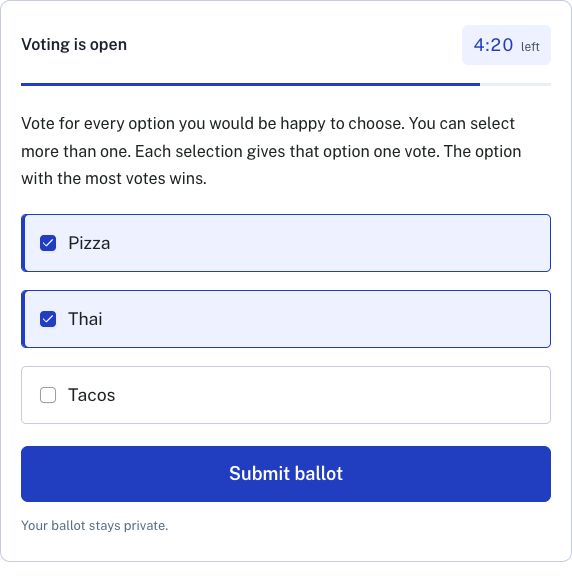
The ballot matches the method you selected. An approval ballot, shown here, lets a voter select every option they support. A ranked ballot asks them to put the options in order; a rated ballot asks for a score for each.
Voters can change their ballots before the timer ends. The room confirms when a ballot is saved.
Read the result together
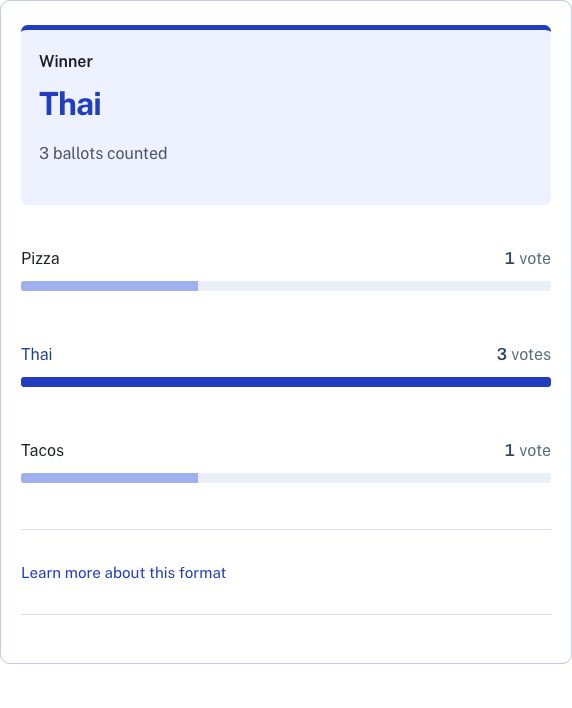
When time runs out, the room shows the combined count and outcome to everyone. Some methods can produce a tie or no winner; the room reports that rather than inventing a choice.
Individual ballots stay private, including from the host. Save the result if you’ll need it after the room’s 24-hour access period.
Choose the ballot that fits the question
For dates or options where several answers could work, approval can be enough. If the order of preferences matters, instant-runoff voting uses rankings and counts backup choices after eliminations. Our approval and ranked-choice comparison explains the difference.
Rooms are free, support up to 40 voters and work best for groups who can join the same short session. Invitations and names do not verify identities, so this is a tool for your group, not a substitute for an official election system.